
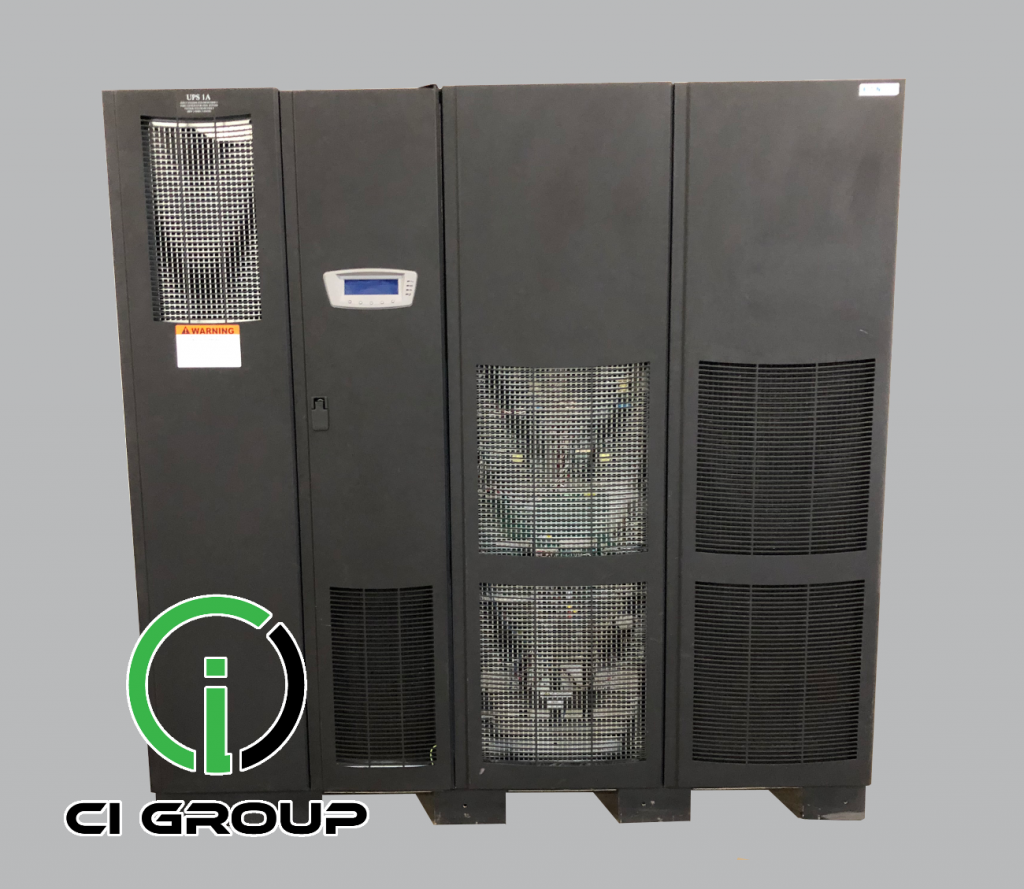
Data Center UPS Systems: What to Consider Before You Buy

Data Center UPS

Data center UPS systems provide immediate support for critical IT and infrastructure loads when normal utility power is interrupted. They also play an important role in the overall power architecture by supporting protected equipment while the facility transitions to an alternate source such as backup generation.

Selecting the right UPS requires more than choosing a kVA rating. Capacity, redundancy, battery runtime, voltage, generator compatibility, physical installation and future growth all need to be evaluated before equipment is purchased.

CI Group supplies UPS systems across a broad range of capacities and manufacturers, including equipment for data centers, commercial facilities and other mission-critical applications.

What Does a UPS Do in a Data Center?

A data center UPS provides immediate stored-energy support to the equipment connected to it when the normal electrical source is interrupted.

Depending on the UPS topology and facility design, it can also help condition incoming power and isolate sensitive loads from certain power-quality disturbances.

In a typical data center backup-power strategy:

  1. Normal utility power supplies the facility.
  2. The UPS supports its protected load immediately when the normal source is interrupted.
  3. The standby generator starts.
  4. The generator reaches acceptable voltage and frequency.
  5. Transfer equipment moves designated loads to the alternate source.
  6. The UPS continues supporting and conditioning its protected load while generator power is available.

The exact sequence depends on the UPS, generator, transfer equipment and electrical design of the facility.

Start With the Actual Data Center Load

UPS selection should begin with the load the system is expected to support.

Review:

  • Current IT load
  • Network and communications equipment
  • Critical controls
  • Other equipment connected to the UPS
  • Peak operating load
  • Planned equipment additions
  • Future expansion

The goal is to select a UPS configuration that provides the required capacity today while allowing appropriate room for redundancy and planned growth.

Do Not Size the UPS From Nameplate Capacity Alone

The kVA rating of an existing UPS can provide useful background, but it should not automatically determine the size of a replacement or expansion system.

The project team should determine:

  • Actual connected kW load
  • Required kVA capacity
  • Power factor
  • Desired operating margin
  • Redundancy requirements
  • Future load growth

A system that was properly sized several years ago may now be operating under a very different load profile.

Plan for Redundancy, Not Just Capacity

A UPS can have enough capacity to support the connected load while still providing limited redundancy.

For data centers with higher availability requirements, the design should also address what happens when one UPS module, battery string or power path is unavailable.

Common redundancy approaches can include:

  • N capacity
  • N+1 configurations
  • Multiple UPS modules
  • 2N architectures
  • Distributed redundant configurations
  • Dual power paths

The appropriate architecture depends on the load, facility design, maintenance objectives and desired level of redundancy.

For additional planning information, see Distributed Redundancy for Data Center Power.

Battery Runtime Is a Separate Design Decision

UPS capacity and battery runtime are related, but they are not the same thing.

The required runtime depends on the protected load and the role the UPS is expected to perform within the overall backup-power strategy.

Factors include:

  • UPS load
  • Battery chemistry
  • Battery model
  • Number of battery strings
  • Number of batteries per string
  • Battery age and condition
  • Operating temperature
  • Generator start and transfer sequence
  • Facility operating requirements

CI Group’s UPS Battery Runtime Calculator can provide a planning estimate based on UPS load and battery configuration.

Final runtime requirements should be verified using the specifications and condition of the actual equipment.

Coordinate the UPS With the Backup Generator

Large data centers typically evaluate UPS and generator systems together because both are part of the same critical-power path.

The generator should be capable of supporting the loads assigned to it, including the operating characteristics of the UPS system.

Items to consider include:

  • Generator kW and kVA capacity
  • UPS input characteristics
  • Voltage and frequency requirements
  • Generator voltage regulation
  • Battery recharge requirements
  • Other generator-supported facility loads
  • Load sequencing
  • Automatic transfer-switch operation

For large data center projects, see How to Source Large-Scale Generators for Data Center Build-Outs.

Verify the Electrical Configuration

A UPS with the correct capacity can still be unsuitable if its electrical configuration does not match the facility.

Before purchasing, verify:

  • Input voltage
  • Output voltage
  • Phase
  • Frequency
  • Input and output breaker requirements
  • Bypass configuration
  • Maintenance bypass requirements
  • Transformer configuration, if applicable
  • Grounding requirements
  • Monitoring and communications

These specifications become particularly important when evaluating available surplus or pre-owned UPS equipment.

Consider the UPS Topology

Not all UPS systems operate the same way.

Large data centers commonly use three-phase online UPS systems, but the specific architecture should be selected around the protected load and electrical design.

Potential considerations include:

  • Online double-conversion architecture
  • Modular vs. monolithic design
  • Transformer-based vs. transformerless configurations
  • Scalability
  • Efficiency at expected load
  • Bypass design
  • Battery architecture

Two UPS systems with the same capacity rating can have very different installation, maintenance and expansion characteristics.

Modular UPS Systems Can Support Growth

Modular UPS equipment can allow capacity to be added through additional power modules within the supported system architecture.

This can be useful for facilities expecting phased IT growth, but modular equipment still needs to be evaluated for:

  • Maximum system capacity
  • Number of supported power modules
  • Redundancy strategy
  • Battery requirements
  • Bypass capacity
  • Physical space
  • Future expansion plans

A modular design is not automatically better for every data center, but it can provide useful flexibility when growth is expected.

AI and GPU Infrastructure Can Change UPS Requirements

Data centers adding high-density AI or GPU systems should reassess existing UPS capacity rather than assuming the current infrastructure can support the new load.

Evaluate:

  • Current UPS loading
  • Available capacity
  • Power density
  • Battery runtime at the higher load
  • Generator capacity
  • Redundancy
  • Electrical distribution
  • Cooling requirements

For more detail, see Power Infrastructure Requirements for AI Data Centers.

Facilities using NVIDIA-based GPU infrastructure can also review Why Redundant Backup Power Matters for NVIDIA GPU Data Centers.

New, Surplus or Pre-Owned Data Center UPS?

Data center UPS equipment can be sourced in different conditions depending on the project and available inventory.

New UPS

New equipment can often be configured around the project’s required voltage, capacity, battery system, controls and other specifications.

Surplus UPS

Surplus equipment may provide another option when unused or lightly used equipment is available that matches the project requirements.

Pre-Owned or Refurbished UPS

A pre-owned UPS may be worth considering when the equipment has the required electrical configuration, capacity and supportability.

Review:

  • Equipment age
  • Previous application
  • Maintenance history
  • Battery condition
  • Fan and capacitor condition
  • Manufacturer support
  • Parts availability
  • Inspection and testing information

For additional guidance, see Used & Refurbished UPS Systems: What to Consider.

Physical Installation Can Affect Equipment Selection

Large UPS systems need to fit both the electrical requirements and the physical facility.

Check:

  • UPS room dimensions
  • Equipment footprint
  • Door and hallway clearances
  • Freight-elevator capacity
  • Rigging access
  • Floor loading
  • Battery cabinet space
  • Cooling and ventilation
  • Service clearances
  • Cable-entry locations

These requirements should be verified before equipment is ordered or shipped.

Plan for UPS Maintenance and Lifecycle Components

A data center UPS should enter service with a maintenance strategy.

Lifecycle planning can include:

  • Preventative maintenance
  • Battery testing and replacement
  • Fan replacement
  • Capacitor replacement
  • Controls and monitoring
  • Firmware and electronics support
  • Parts availability

CI Group provides UPS maintenance services and UPS preventative maintenance for critical-power applications.

Temporary UPS Capacity Can Support Replacement or Expansion

Data centers do not always need permanent equipment immediately.

A UPS rental may be useful during:

  • UPS replacement
  • Capacity expansion
  • Planned maintenance
  • Facility renovations
  • Infrastructure upgrades
  • Temporary IT deployments

Temporary equipment should be sized and coordinated with the same care as permanent UPS infrastructure.

See When Does a UPS Rental Make Sense? for additional planning considerations.

What to Check Before Buying a Data Center UPS

Before selecting equipment, confirm:

  • What is the current protected load?
  • What future growth is planned?
  • What kW and kVA capacity are required?
  • What redundancy architecture is required?
  • How much battery runtime is needed?
  • What input and output voltage are required?
  • What phase and frequency are required?
  • What UPS topology fits the application?
  • Does the UPS need to operate with an existing generator?
  • Is the automatic transfer equipment appropriately sized?
  • Will the UPS fit the available space?
  • Is future expansion expected?
  • What manufacturer support is available?
  • What maintenance program will apply?
  • Is temporary UPS capacity needed during installation?

Large-Capacity UPS Systems for Data Centers

CI Group maintains UPS inventory across a broad range of capacities, including large three-phase systems for data center and critical-infrastructure applications.

Facilities evaluating larger equipment can browse 1201+ kVA UPS systems or review the complete UPS inventory.

Plan the UPS as Part of the Complete Data Center Power System

A data center UPS should not be selected in isolation. Capacity, batteries, generators, transfer equipment, redundancy and electrical distribution all need to work together as part of the facility’s critical-power architecture.

CI Group supports data centers with UPS systems, backup generators, automatic transfer switches, rental equipment, maintenance and other critical-power services.

Looking for a UPS System for Your Data Center?

Talk with CI Group about your current load, required capacity, voltage, redundancy requirements and project schedule. We can help identify available UPS equipment that fits your data center power requirements.


Discuss Your Data Center Project →

Scroll to Top